


Overview
Recreating viral-style product ads without filming or hiring creators is now possible. Using an AI video agent, you can feed a product link and a reference viral ad, and the tool will generate a realistic, ready-to-run video that follows the same viral formula. This approach streamlines production, speeds up testing, and drastically reduces costs compared with commissioning UGC creators.
What this AI video agent does
The tool analyzes two inputs: a reference viral ad and a product page URL. It pulls product images, reads the description and selling points, and combines that information into an automatically generated prompt. From there it builds a storyboard and produces a finished video with visuals, captions, music, and a call to action.
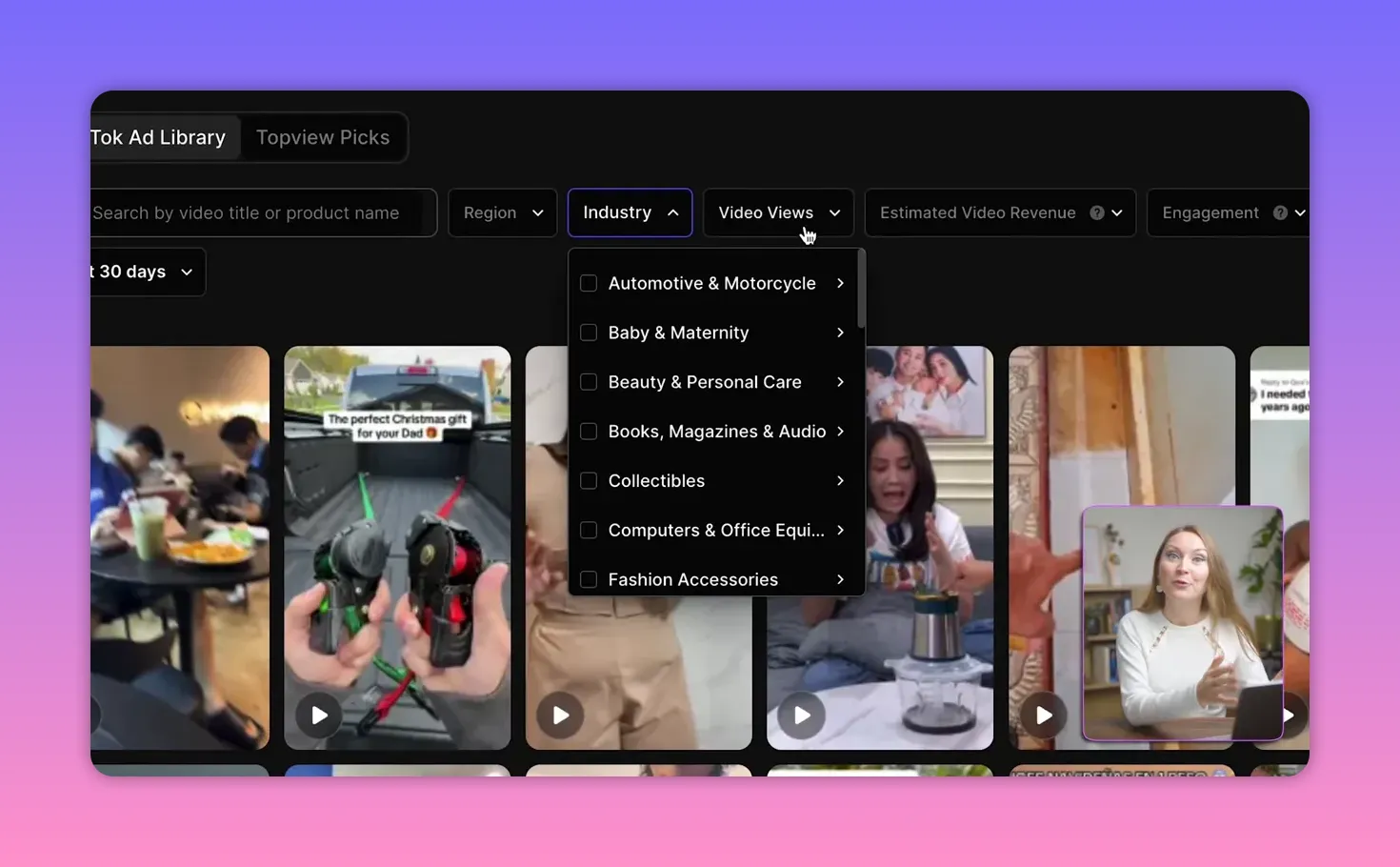
Key built-in features include a TikTok ad library that shows viral creatives by niche and metrics like video views, estimated ad spend, and revenue estimates. That data helps you choose effective reference ads to clone the style and cadence that worked before.
Step-by-step workflow
-
Pick a viral reference from the TikTok ad library and add it to the prompt as a style guide.
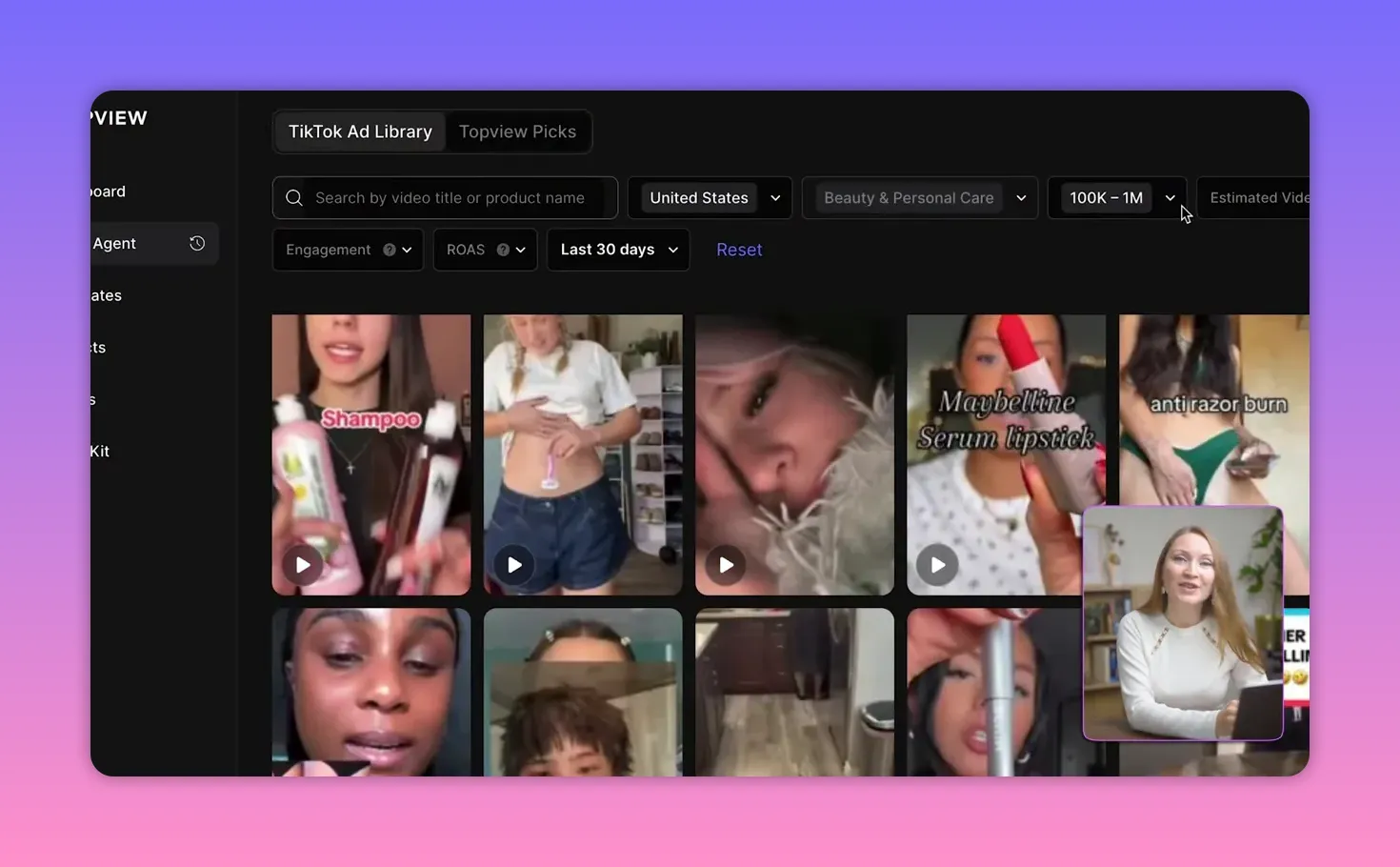
Selecting a viral reference from the TikTok ad library using filters and search. -
Paste a product link (Amazon, Shopify, Etsy, TikTok shop, eBay, etc.). The agent scans the page for images, title, and descriptions.
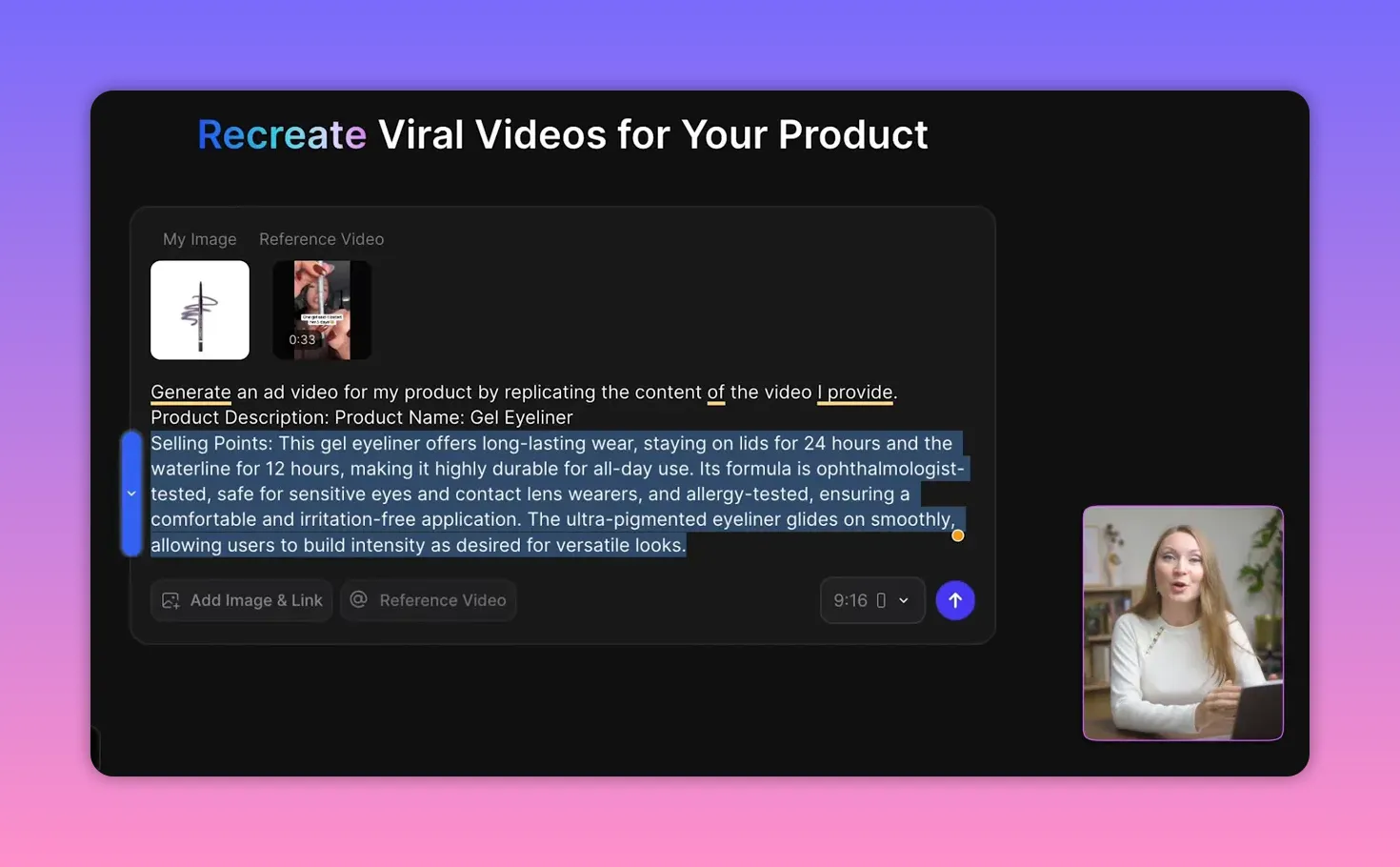
The agent scanning a product page and extracting the product description and selling points. - Select the best product photos and remove anything that might confuse the AI.
-
Answer a few questions the agent asks—target audience, country, language, selling points, duration.
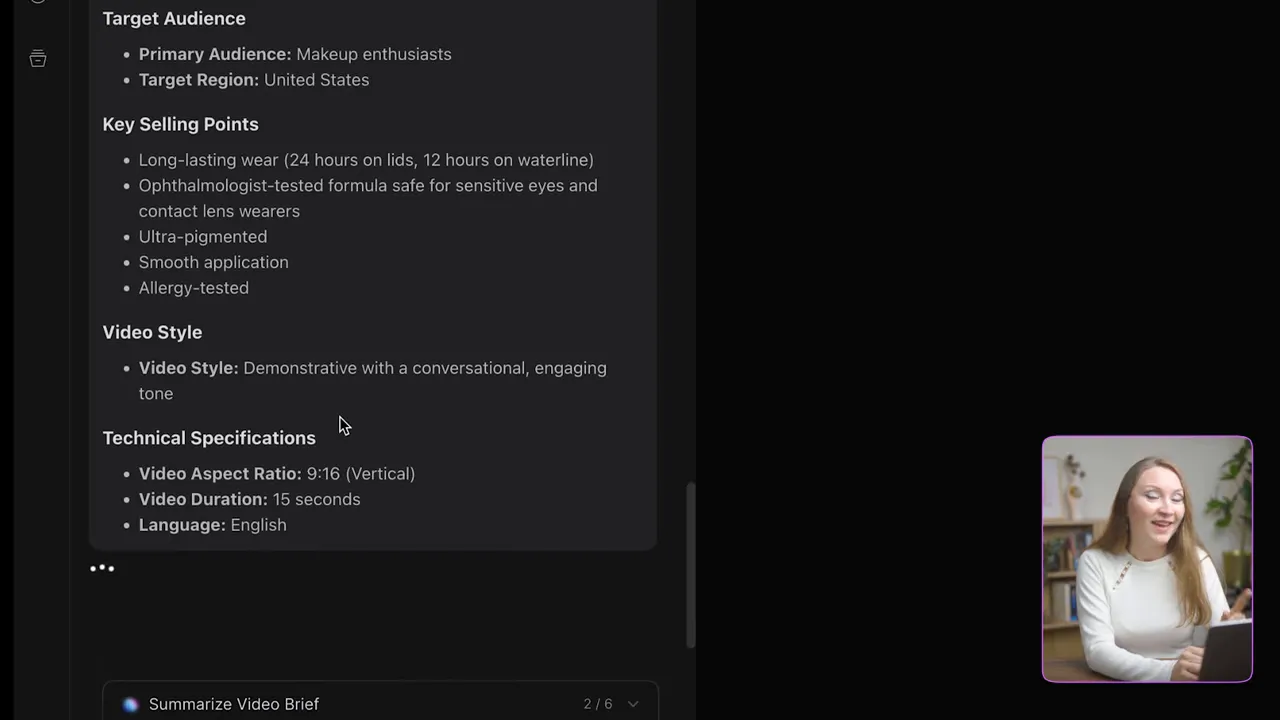
The agent asking product questions — target audience, selling points and technical specs. - Review the autogenerated storyboard carefully. Each generation consumes credits, so confirm only when you’re satisfied.
-
Generate the video. The process takes a few minutes depending on length and complexity.
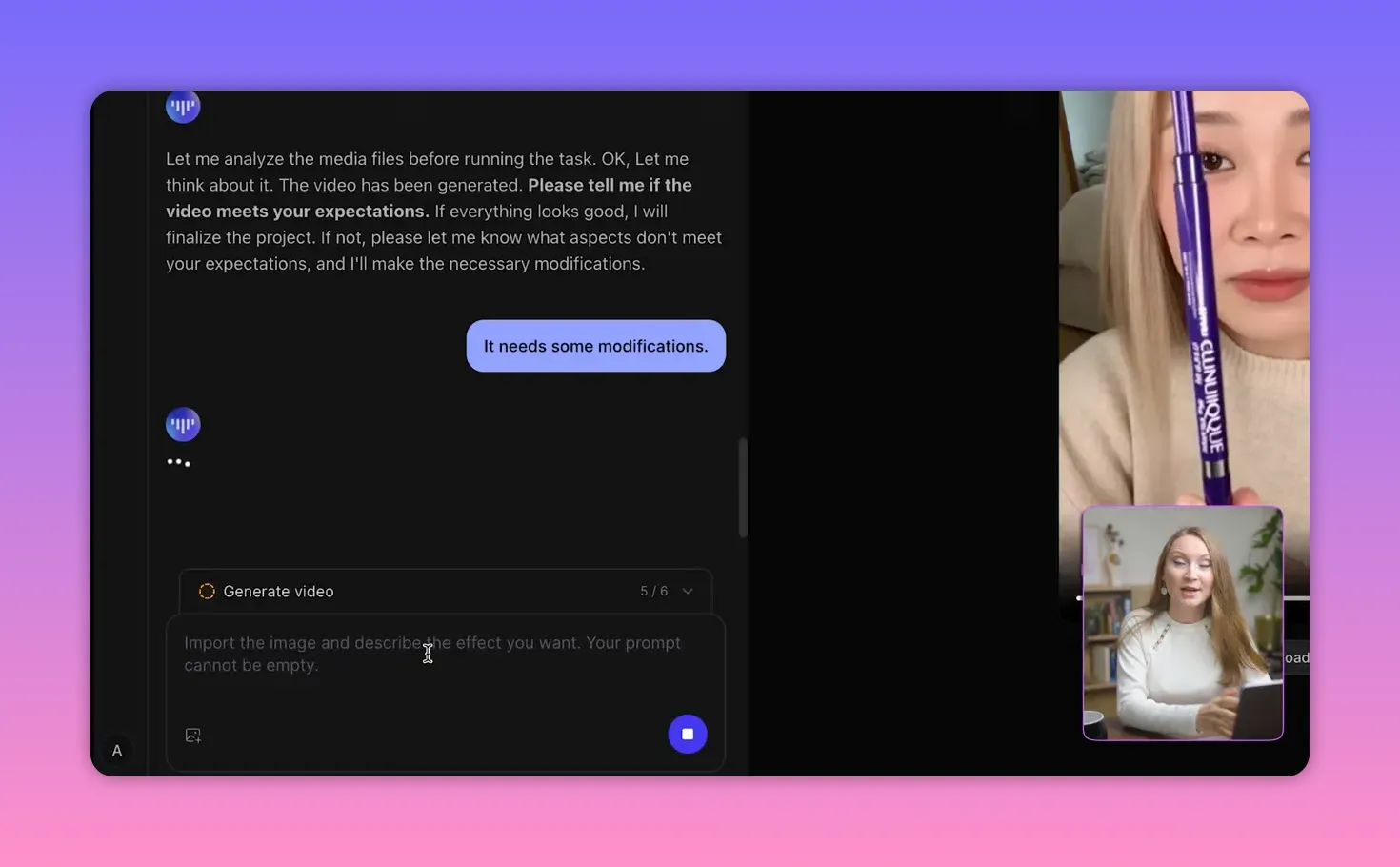
Open the ‘Generate video’ panel to start building the ad and then review the storyboard.
Real examples and outcomes
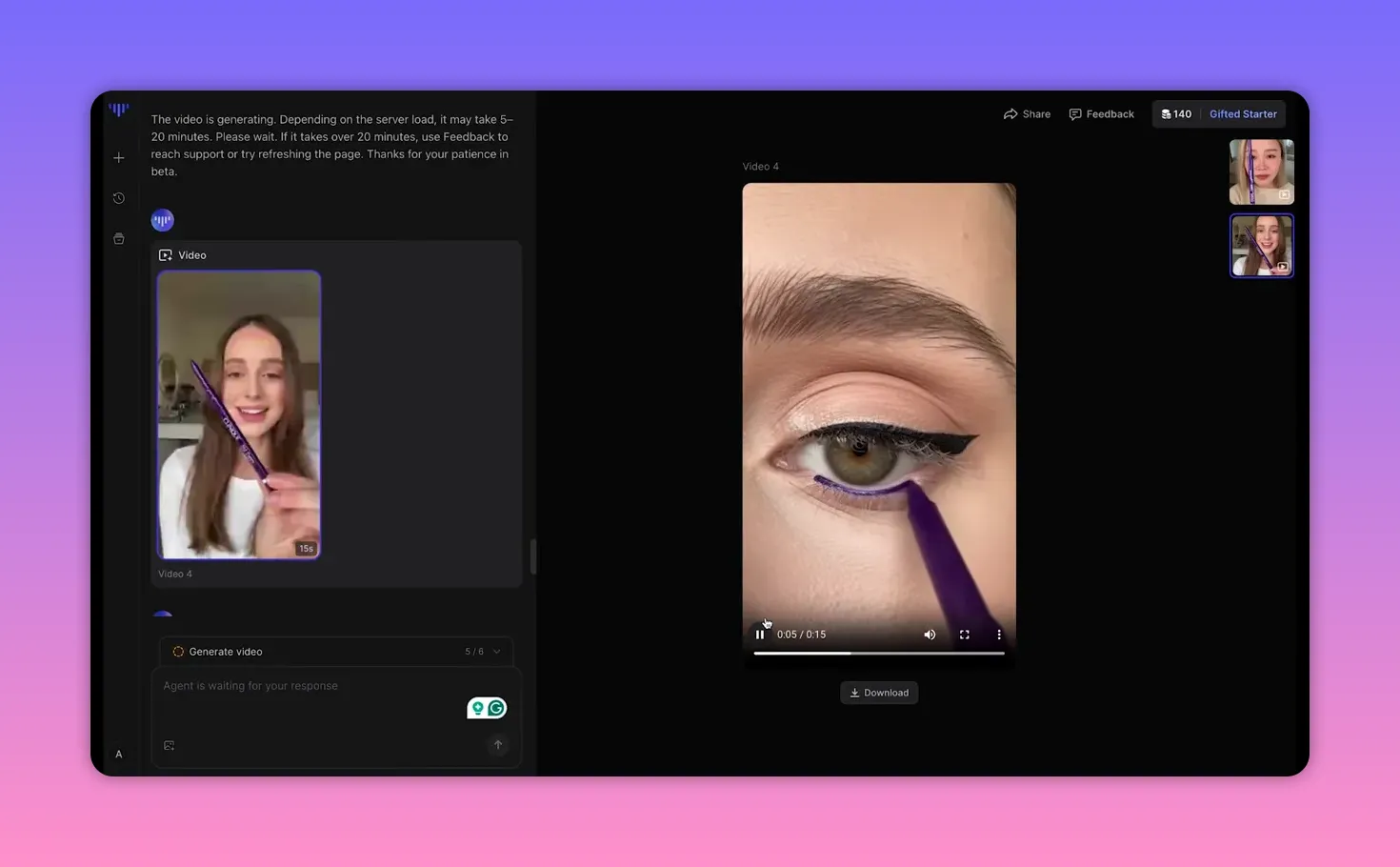
I recreated an eyeliner ad with a short script demonstrating smudge and wear tests. The first generation delivered a convincing result: clear product focus, a smooth application shot, and copy like “totally smudge proof” and “ophthalmologist tested.” Small tweaks were needed—remove unwanted caption language, correct color and spellings, and refine text overlays.
After submitting notes and regenerating, the second version was more realistic. One limitation emerged: regenerations often change the on-screen person. That means the tool is great for producing many variations, but if you need the exact same model across iterations, expect inconsistency for now.
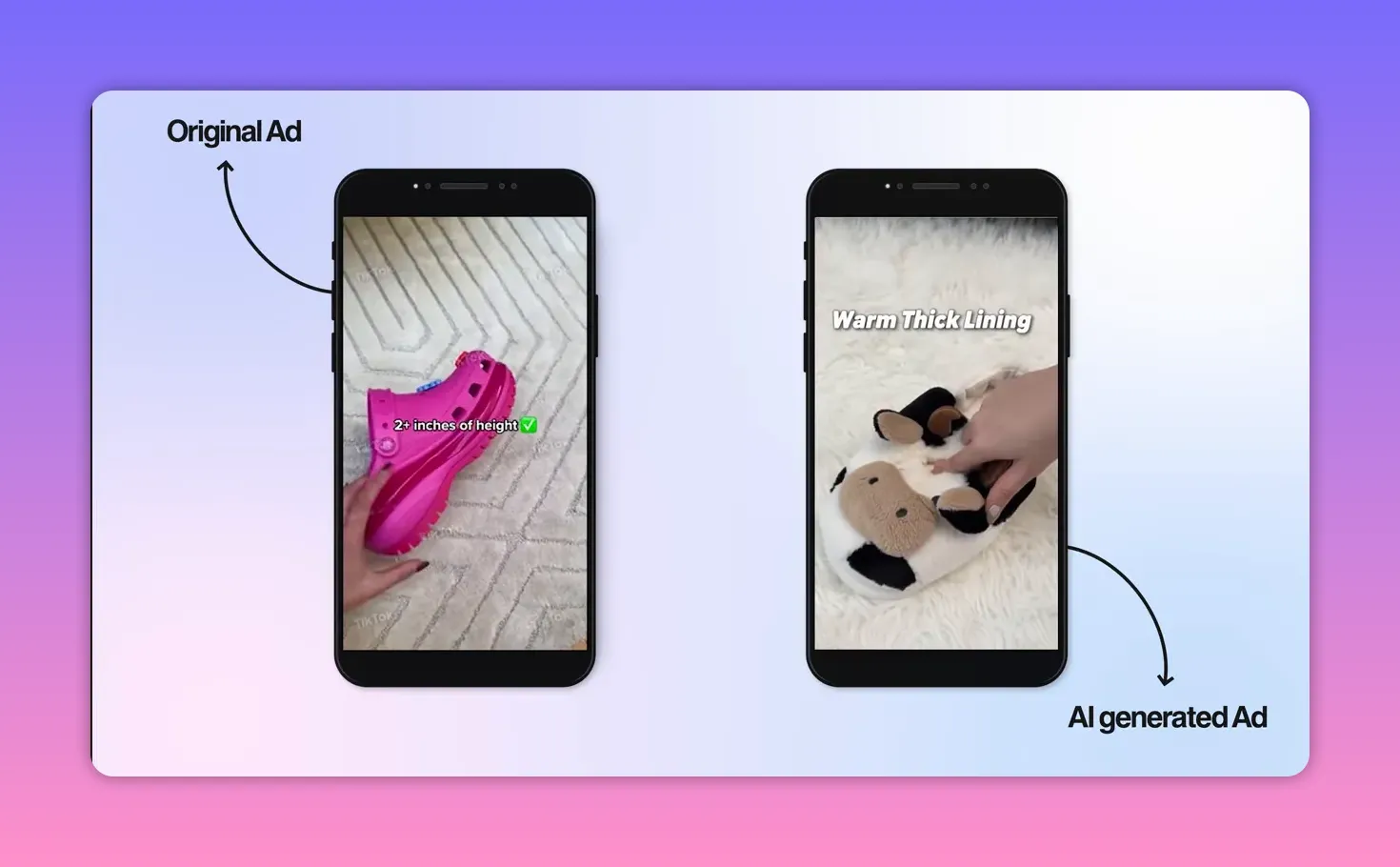
I also tested a health powder and footwear product. Side-by-side comparisons showed the AI replicated the original viral ad’s visual focus, upbeat music, captions, and effective calls to action. The generated ad for slippers even produced energetic audio and natural-sounding product copy like “They’re so lightweight and comfy” and “Get yours now.”
Tips to get the best results
- Always review and edit the product images the agent pulls. Remove any packaging shots or non-product visuals that could confuse scene composition.
- Use the TikTok ad library filters to pick a reference with similar pacing, camera angles, and copy length.
- Add explicit instructions in the notes field: remove foreign captions, correct product color, or adjust on-screen text.
- Read the storyboard before confirming. Each generation uses credits and iterations add up.
-
If a product page fails to scan, install the free Chrome extension to scrape images directly from the browser and push them into the prompt.
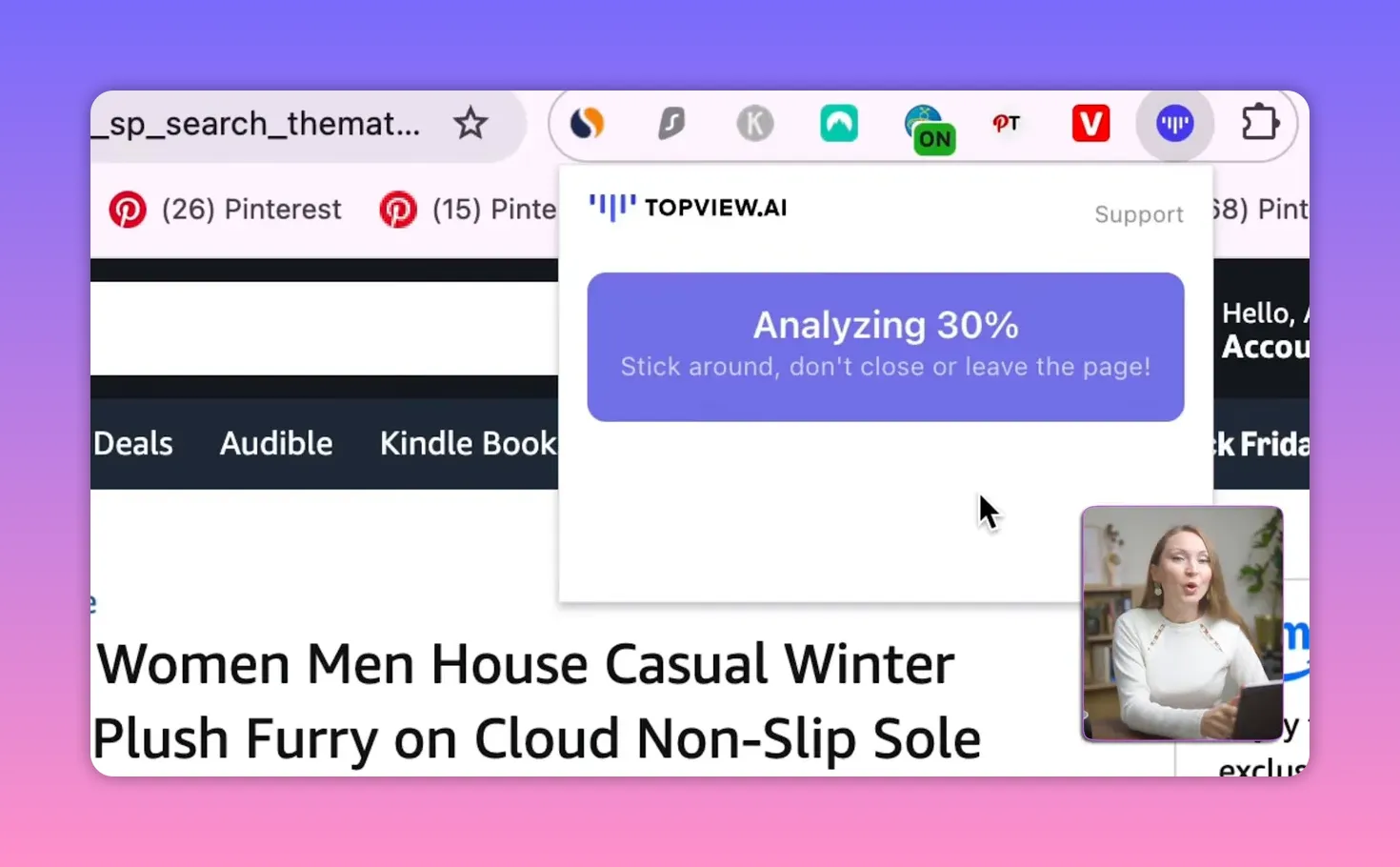
TopView Chrome extension analyzing the page (shows ‘Analyzing 30%’).
When this approach makes sense

Use AI-generated ads when you need quick, inexpensive creative for testing product-market fit, scaling ad variations, or filling an ad catalog without signing content creators. This method is especially useful for:
- Rapid A/B testing of headlines, CTAs, and hooks
- Producing dozens of variants for retargeting and audience segments
- Replacing early-stage UGC production when budgets are tight
Limitations to keep in mind
The tech is impressive, but not perfect. Common friction points:
- Model consistency: each regeneration may produce a different on-screen person, which can break continuity across a campaign.
- Page scanning: some e-commerce pages are harder to parse; use the Chrome extension when needed.
- Fine typography and label accuracy can require iterative notes to correct spelling or color choices.
Cost and time comparison
Producing a UGC-style ad traditionally requires finding creators, negotiating rates, and waiting for shoots and edits. With an AI agent, you can generate a polished ad in minutes and at a fraction of the cost. For rapid testing and scale, the credit-based model is far cheaper than hiring multiple creators for dozens of variations.
FAQ
Which platforms can I use to import product links?
Can the AI keep the same person when regenerating a video?
Currently, regenerations often result in a different on-screen model. That makes the tool great for producing diverse variations, but if you need identical continuity across iterations, plan for manual fixes or use fewer regenerations.
How do I prevent incorrect text overlays or captions?
Add explicit notes in the prompt window specifying removal of foreign captions, exact phrasing for overlays, and correct product colors or spellings. Then regenerate and review the storyboard before confirming.
Does the tool include reference performance data for viral ads?
Yes. The ad library displays engagement metrics such as views, estimated ad spend, and revenue estimates for many viral creatives. That metadata helps you choose the best reference for replication.
Is this approach cheaper than hiring UGC creators?
For volume and speed, yes. The AI approach is significantly more affordable for producing multiple ad variations. Hiring creators can still be preferable for hyper-authentic or brand-specific content that requires a real person’s endorsement.
Final thoughts
AI agents that generate ad creatives from a product link are a powerful new option for marketers and store owners. They offer speed, affordability, and a near-instant way to scale creative testing. With careful prompts, image selection, and iterative notes, you can produce realistic, high-converting ads that follow proven viral formulas.
Use the storyboard as your safety net, refine copy and overlays, and accept that early iterations might swap models. For rapid experimentation and scaling creative output, this method changes the economics of ad production.


